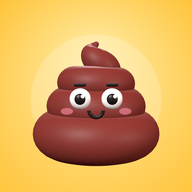
 Plopet
Every pop feeds your poop pal.
Play calming fidget toys. Each one makes a snack. Feed your pet and watch it grow.
How it works
Play a toy you like.
Pop, spin or pour until the bar fills up.
Feed your pet a snack.
Your toy drops a snack in the fridge. Tap it to feed your pet.
Watch it grow and change.
What it eats decides what it becomes. Bubbly, rainbow, golden…
Five toys. Five snacks.
-
Pro
Squishy
Squeeze it. Watch it rise.
Makes Marshmallow -
Pro
Poop Merge
Two poops make a bigger one.
Makes Gumball
Psst. Your pet has a secret favorite snack. Can you find it?
A pet that’s all yours.
It starts as an egg. In the game, tap it to crack it open!
- PoopThe first pet
- ProGalaxyA tiny planet
- ProMarshmallowA soft cloud
- ProBubblegumA piece of gum
Feed it and it grows. It hops, it blinks, it naps when you’re away. What it eats changes how it looks.
- Baby
- Kid
- Grown-up
- Royal
A Royal wears a crown. Then tap Flush! Your pet goes to the Poop Kingdom shelf, and a new egg comes.
Watch out for broccoli. Your pet is not a fan.
For parents: made calm, made safe.
Plopet is a set of calming fidget toys with a virtual pet that grows from play. Here’s what it doesn’t do.
No ads
There are no ads. Not banners, not videos, not “watch to continue.”
Progress stays on the device
The pet, snacks and settings are saved in this browser on this device. We store nothing about your child.
One-time purchase
Three toys and the pet are free. Pro is a single purchase of $5.99, €5.99 or 490 ₽, depending on your country. No subscription, no coins.
No accounts, no chat
Nobody signs up, logs in or talks to strangers. There is no chat of any kind.
A grown-up check
Removing a pet, loading saved progress and outside links sit behind a quick grown-up math question.
No pressure
The pet never gets sick and never dies. If your child takes a week off, nothing is lost.
Questions parents ask
Is Plopet free?
Yes. Bubble Wrap, Spinner, Sand and the Poop pet are free to play. Pro is an optional one-time purchase that adds two toys, three more pets, outfits and room themes. It never sells speed-ups, energy, coins or loot boxes.
Is it safe for my child?
There are no ads, no accounts, no chat and no way to contact other people. Removing a pet, loading saved progress and outside links ask a grown-up math question first.
Pro is paid on a separate payment page with a card or Apple Pay (or SBP in Russia). The purchase screen says it’s paid by a grown-up.
What data do you collect?
Your child’s progress (pet, snacks, collection, settings) is stored only on the device. The app sends anonymous counts of events, like “toy opened,” with no user ID, no device ID and no cookies. We keep only daily totals.
Our server is involved only when a grown-up buys or restores Pro. Then it gets the Pro key, a random install number, the price zone and the grown-up’s e-mail for the receipt. Details are in our privacy policy.
Does it work offline?
Yes. After the first visit, the toys and the pet work without an internet connection.
Adding it to the home screen helps keep progress safe. Safari may clear data for sites you haven’t used in a while. You can also export progress from the “Purchase & privacy” page in Settings.
Why a poop?
Because kids find it funny, and so do most grown-ups. Our pet is a clean, cartoon swirl with a face, more cupcake than bathroom. Nothing gross happens, ever.
Can the pet die or get sick?
No. It can get sleepy and it makes a face at broccoli, but it never gets sick, never dies and never loses progress because your child was away.
What does Pro include?
Two more toys: Squishy and Poop Merge. Three more pets: Galaxy, Marshmallow and Bubblegum. Up to four pets at once, so each child can grow their own. Outfits (patterns, hats, glasses) and room themes.
It’s one payment of $5.99, €5.99 or 490 ₽, depending on your country, with no subscription. One key works on up to 5 devices. Payment goes through Lava.top. We never see card details.
How do I install it?
On Android, tap “Install” in the app or use your browser’s “Add to Home screen.” On iPhone or iPad, open it in Safari, tap Share, then “Add to Home Screen.”